Connect from ChatGPT
Connect ChatGPT to approved data sources, mapped devices, and other agents. Lobu keeps tasks and decisions durable and governed by permissions and approvals.
Use mapped devices from ChatGPT
ChatGPT can request governed work that Lobu routes to an authorized
device worker for local files, connector syncs, actions, or device
Automations. Run lobu daemon on that machine once; a named
context keeps one stable host identity, while supported Claude Code, Codex,
and OpenCode sessions receive separate per-session identities for interactive
delivery. See the device worker setup.
Lobu is open-source but we also have a managed cloud. If you'd like to try, sign in at app.lobu.ai, then point ChatGPT at https://app.lobu.ai/mcp as the MCP endpoint. The same URL works for every workspace. Pick one below to scope it to that example.
Paste this into ChatGPT and it will install Lobu for you.
Connect ChatGPT
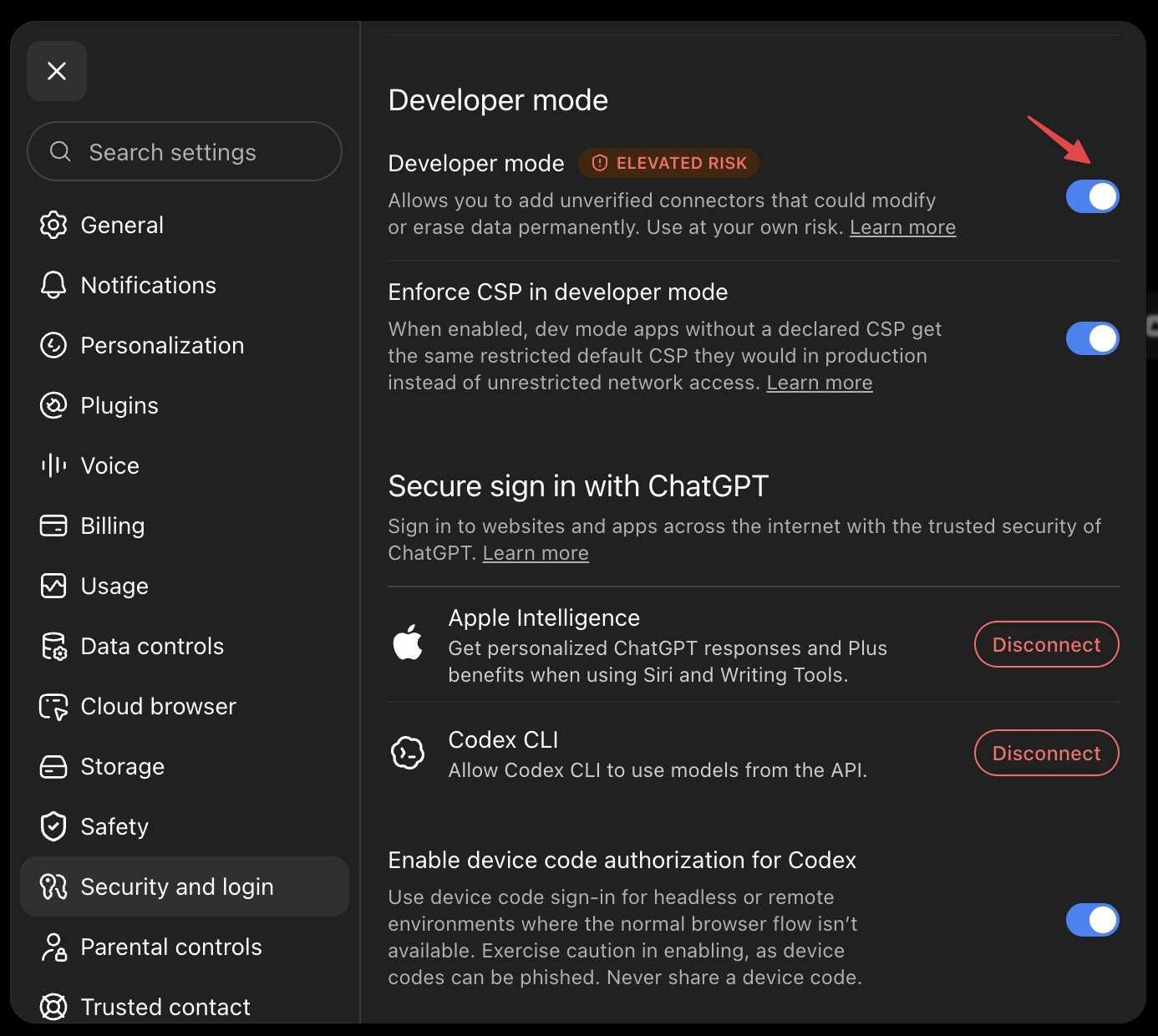
- Not in developer mode? Turn it on under Security → Developer mode: https://chatgpt.com/plugins#settings/Security?section=developer-mode
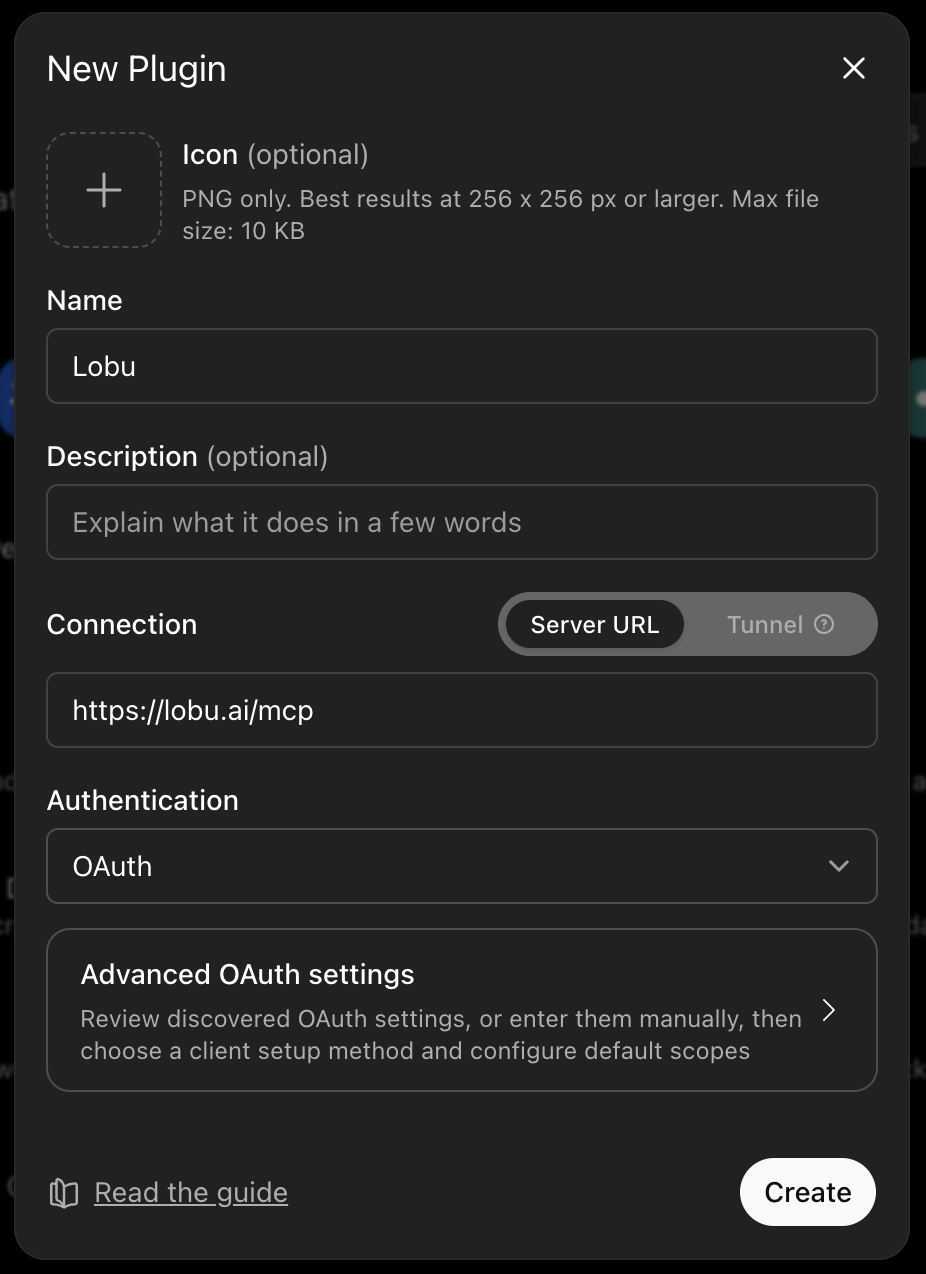
- Create a connector under Settings → Connectors → Create connector: https://chatgpt.com/plugins#settings/Connectors?create-connector=true
- Name the app
Lobu, paste https://lobu.ai/mcp as the MCP endpoint, and choose OAuth. - Select Scan Tools, complete the Lobu sign-in, wait for discovery to finish, and select Create.
- Start a new chat, choose the Lobu draft app from the tools menu, and pick the workspace it should use.
Custom MCP app availability and write-action permissions depend on your ChatGPT plan and workspace role. ChatGPT connects to a remote endpoint, so a self-hosted Lobu MCP must be publicly reachable; replace https://lobu.ai/mcp with that HTTPS endpoint.